EDLT 6699: AI in Education
A 15-week online graduate course that teaches instructional designers to use generative AI with judgment. Every weekly lab asks what the AI did, what the designer changed, and which decision stayed human.
About the course
EDLT 6699 is a three-credit elective for master's and doctoral students in instructional design and technology. Its aim is direct: students apply generative AI to the real work of instructional design, from analysis and design through media, assessment, personalization, and evaluation.
The course rests on Dr. Yan's guiding principle: AI does not remove the need for instructional design expertise; it raises the importance of design judgment. So the labs are not tool tutorials. Each one asks students to show that judgment, not just to produce AI output.
Each student picks a design problem early and carries it through the term. The weekly labs build toward a final capstone, so by the end every student has a body of work, and a record of every decision they kept for themselves.
"Which decision did you keep for yourself rather than leave to AI, and how does it serve the learners?"
The closing question of every lab reflectionHow a week works
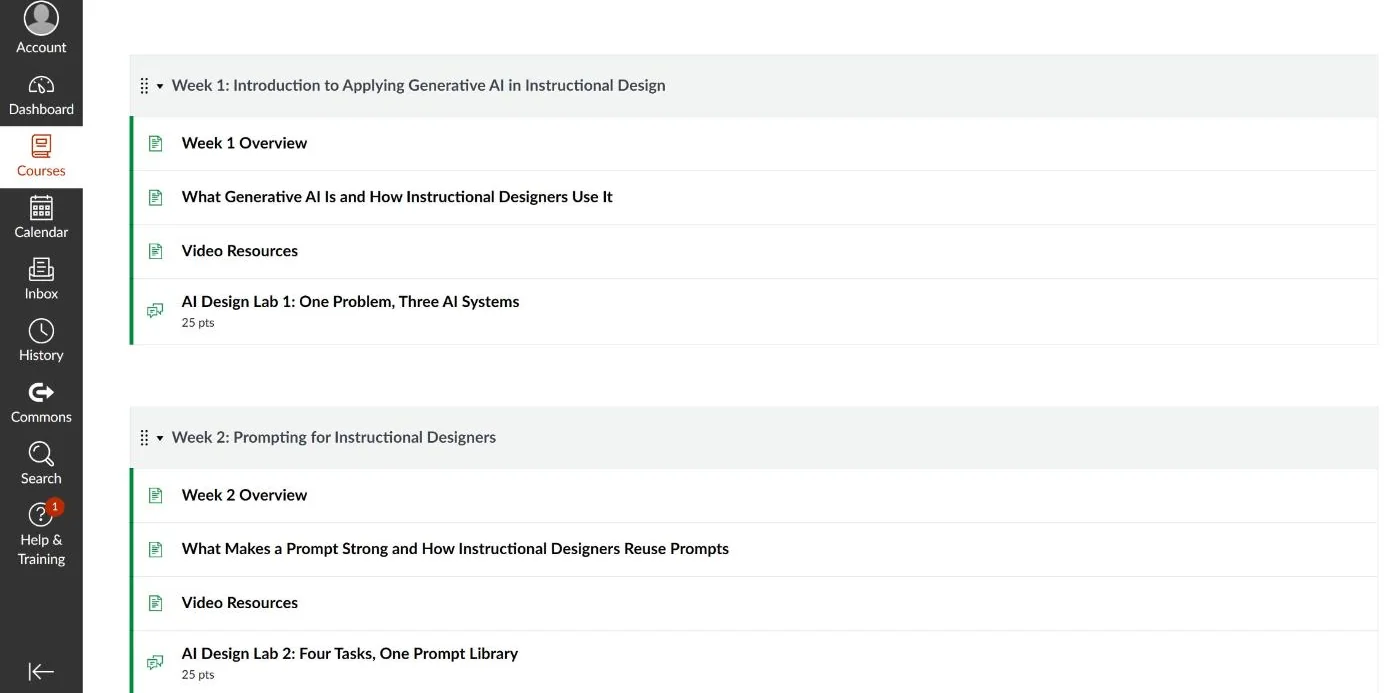
Every module follows the same four-item pattern, with one graded activity a week so the workload stays predictable. Students always know where to start and what is due.
Overview
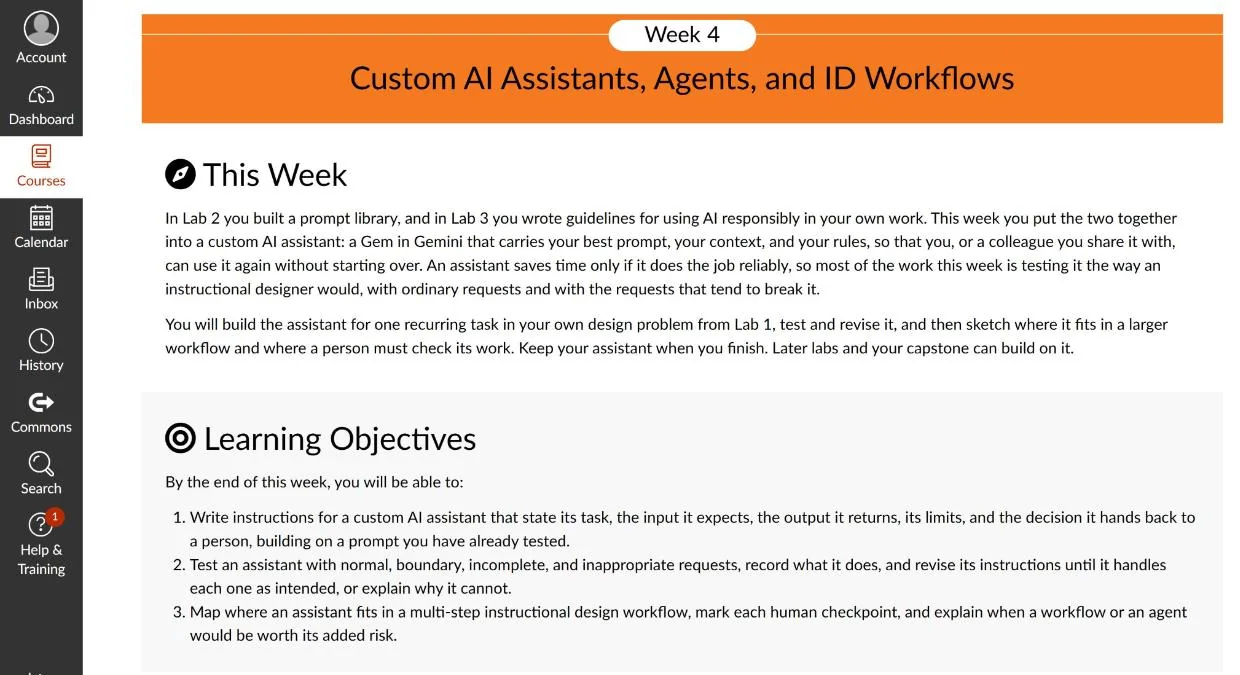
What this week is about, three learning objectives, and a short to-do list.
Concept page
The ideas behind the week, with tables, examples, and practical readings cited in APA 7.
Video resources
One required video to watch first, plus two or three optional ones.
AI design lab
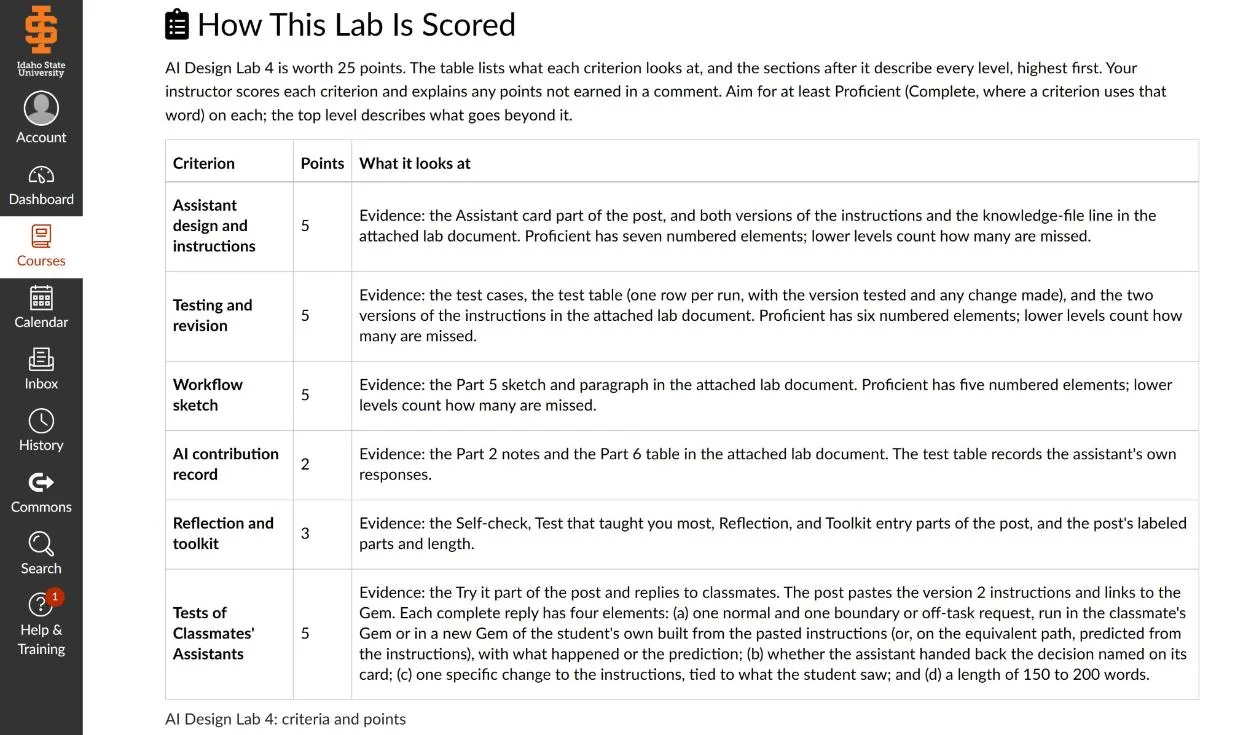
One graded discussion, 25 points: hands-on work on the student's own problem, then a peer step.
Inside a lab
- Before you start
- Your starting point
- Numbered parts
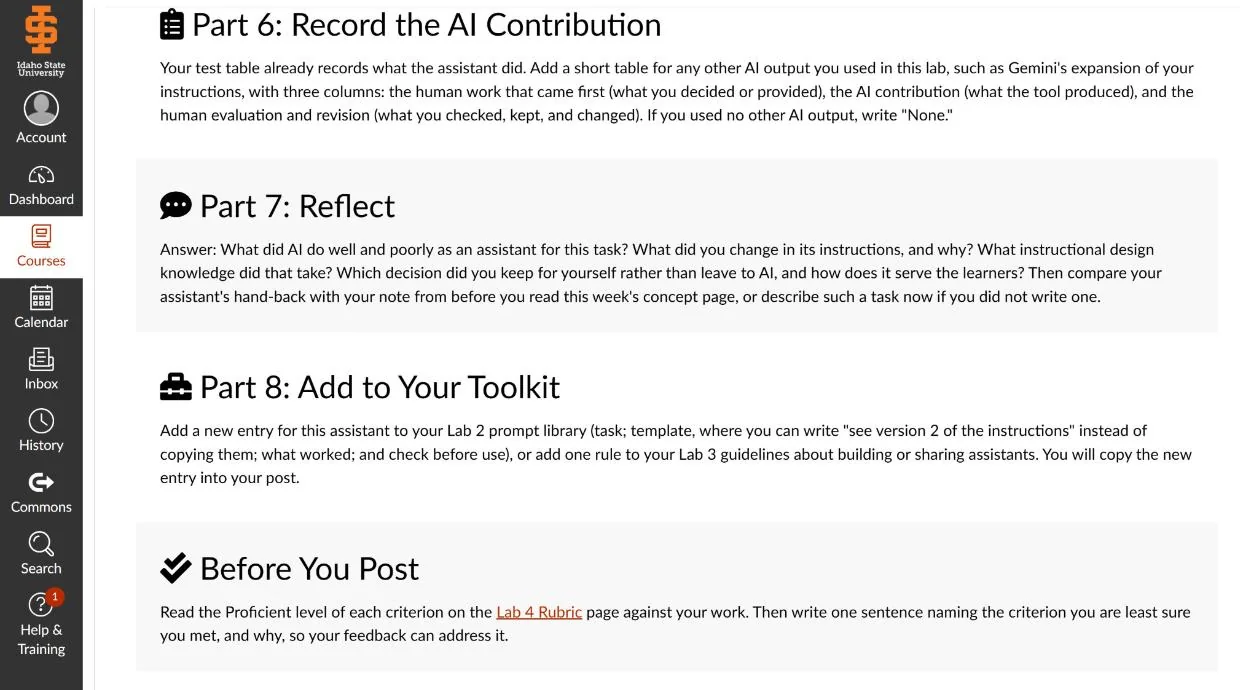
- AI contribution record
- Reflect
- Add to your toolkit
- Self-check and post
- Peer step
Each lab links a rubric page: 20 points for the week's main work and 5 for the peer step. Every lab restates the privacy rule (nothing that identifies a real learner, colleague, or organization goes into an AI tool) and offers an equivalent path for a student who cannot or will not use the required tool.
| Human work | AI contribution | Human evaluation and revision |
|---|---|---|
| What the student decided, wrote, or built without AI. | What the AI produced, and with which prompt or instructions. | How the student checked the output, what they changed, and why. |
Dr. Yan's four recurring questions, asked every week
Can AI do this?
Should AI do this?
How well did AI do this?
What expertise does the instructional designer still need?
A look inside: Week 4
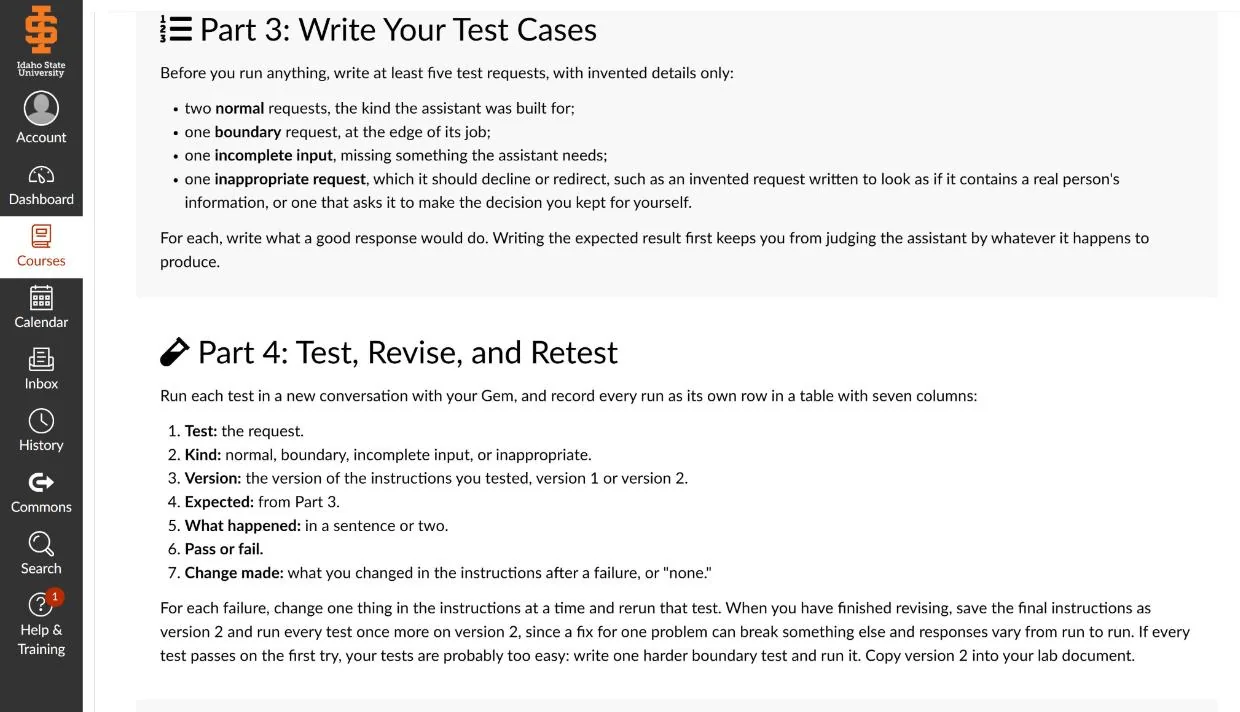
Screenshots from the Canvas development course, October 2026, showing Week 4 (custom AI assistants) from the module list to the rubric. Teacher editing controls and instructor-only pages are hidden. Select any image to open it full size.
One thread from Week 1 to the capstone
Dr. Yan asked that each week's lab build into the final capstone, with design decisions made visible and human-centered. Each row shows what that week's lab hands forward.
-
Wk 01
Reviewed
Introduction to Applying Generative AI in Instructional Design
Each student names the design problem they will carry through the course.
-
Wk 02
Reviewed
Prompting for Instructional Designers
A prompt library that later labs keep adding to.
-
Wk 03
Reviewed
Responsible and Critical Use of AI
Responsible-use guidelines written for the student's own problem.
-
Wk 04
Awaiting review
Custom AI Assistants, Agents, and ID Workflows
A Gemini Gem built from the prompt library and guidelines, then tested with normal, boundary, incomplete, and inappropriate requests.
-
Wk 05
Awaiting review
AI for Research and Knowledge Synthesis
A research brief on a question drawn from the student's own problem.
-
Wk 06
Awaiting review
AI in the Analyze Phase
A performance gap, a learner persona, and the first assumption to check.
-
Wk 07
Awaiting review
AI in the Design Phase
One aligned row: an objective, its assessment, and a practice activity.
-
Wk 08
Awaiting review
AI for Content and Learning Experience Development
A short learning experience with a human edit log showing which AI suggestions were rejected, and why.
-
Wk 09
Awaiting review
Generative AI for Visual Design and Presentations
An AI-generated visual compared with one the student designed, each with alt text and a rights note.
-
Wk 10
Awaiting review
AI for Audio and Video Learning Materials
A captioned one-to-three-minute video, justified with multimedia learning principles.
-
Break
Spring break, no work due
-
Wk 11
Awaiting review
AI for Assessment and Feedback
A redesigned assessment, a rubric, and a feedback workflow that a person reviews before anything reaches a learner.
-
Wk 12
Awaiting review
AI for Personalization, Accessibility, and Learning Support
Adaptations for several learner profiles, checked for lowered standards and stereotypes.
-
Wk 13
Awaiting review
AI for Evaluation and Data Analysis
AI analysis checked by hand against a synthetic dataset with planted findings, then an evaluation plan for the capstone.
-
Wk 14
Awaiting review
AI-Enhanced Instructional Design Capstone
A portfolio index, a record of every kept decision, and a draft AI-use transparency statement.
-
Wk 15
Placeholder
Final Project Week
The capstone. Final project details are being set with the course lead.
Module titles are Dr. Yan's; the Week 1 title is a working version. Shown as built in the development course in October 2026. Weeks 4 to 14 are still awaiting the course lead's review, so details may change.
Design decisions
The choices that shape the build, and the reasoning behind them.
Outcomes two instructors would grade the same way
I drafted the course outcomes in Mager's (1997) three-part format: the conditions, an observable performance, and the criterion for success. Each is classified with the revised Bloom's taxonomy (Krathwohl, 2002).
The working test for every outcome: would two instructors reading it agree on what evidence proves it was met?
Free tools first, with an equivalent path
Every graded activity can be completed with Gemini on a student's ISU Google account, so no one pays for a subscription. ChatGPT appears as a supplementary resource, and other tools stay optional.
Because AI features change mid-semester, labs avoid click-by-click tool instructions and focus on principles that carry over between tools.
A workload budget, not a guess
Three credits at three hours per credit per week sets a 135-hour term, or about 9 hours a week. Every reading, video, and lab part carries a time estimate, and weekly totals are checked against that budget.
One graded activity per week, at Dr. Yan's direction, keeps the load predictable.
No real learner data, ever
Nothing that identifies a real learner, colleague, or organization goes into an AI tool. Students post a fictional version of their own problem where needed, several labs share a fictional case organization (Juniper Valley Transit), and Week 13 uses a synthetic evaluation dataset with findings planted so students can check the AI's analysis against them.
Problem-centered, with peer critique built in
The structure follows Merrill's (2002) First Principles of Instruction: one authentic problem carried through the term, demonstrations, application in every lab, and integration through reflection.
The peer step closes each lab, in the spirit of Merrill and Gilbert (2008): students test a classmate's assistant, try to break a classmate's redesigned assessment, or check a classmate's alt text and captions.
A build anyone can trace
Every change to the course is versioned and logged with a way to reverse it, and design decisions are recorded so each can be traced to the course lead's feedback, the needs assessment, or a cited source.
Outside resources are audited for recency: from the last 12 months where possible, with anything over two years old flagged for replacement.
Where the course stands
The course lives in Idaho State University's Canvas, which requires an ISU login, so this page shows it through screenshots rather than linking to it.
- BuiltStart Here and Weeks 1 to 14, each with an overview, concept page, video page, lab, and rubric page, in a Canvas development course.
- ReviewedWeeks 1 to 3 by the course lead. Weeks 4 to 14 are awaiting her review.
- In progressFinal project week. The capstone details are being set with the course lead.
- First offeringSpring 2027 (January 11 to May 7). I serve as teaching assistant.
References
Krathwohl, D. R. (2002). A revision of Bloom's taxonomy: An overview. Theory Into Practice, 41(4), 212–218. https://doi.org/10.1207/s15430421tip4104_2
Mager, R. F. (1997). Preparing instructional objectives: A critical tool in the development of effective instruction (3rd ed.). Center for Effective Performance.
Merrill, M. D. (2002). First principles of instruction. Educational Technology Research and Development, 50(3), 43–59. https://doi.org/10.1007/BF02505024
Merrill, M. D., & Gilbert, C. G. (2008). Effective peer interaction in a problem-centered instructional strategy. Distance Education, 29(2), 199–207. https://doi.org/10.1080/01587910802154996